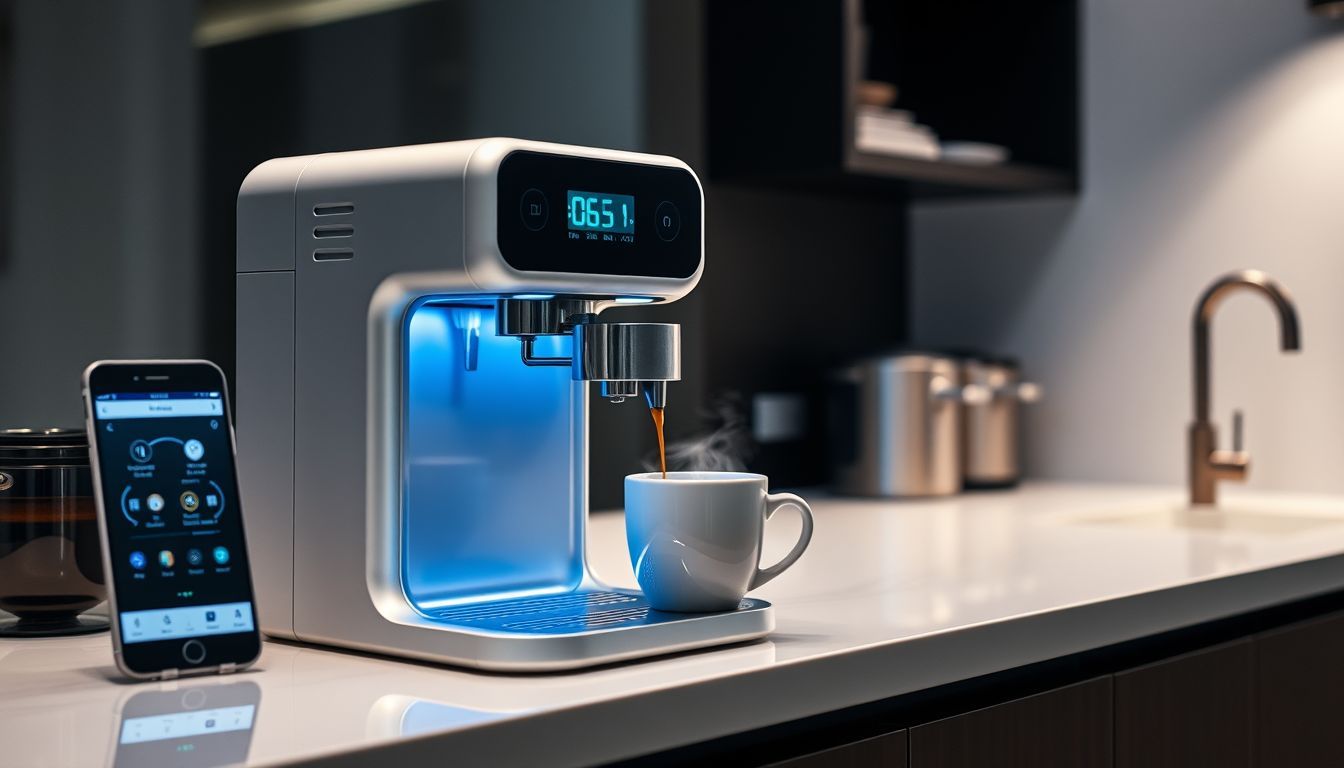
Last week, I watched my neighbor’s connected brewer automatically adjust brew temperature based on the weather, order replacement filters as supplies ran low, and ping her when her favorite Ethiopian beans hit a local sale. Kitchen counter showing a smart coffee brewer with a phone notification about filters and beans, beside a traditional espresso machine with light mineral scale buildup. Meanwhile, my “traditional” espresso machine sat silently on the counter—blissfully unaware it was slowly clogging with mineral deposits and that I’d been pulling increasingly sour shots for three weeks.
That’s when I realized smart coffee makers have moved from novelty to genuinely useful brewing tools. In this guide, you’ll learn what modern connected machines actually do well in 2026, which features matter, and which are still hype.
Quick Answer: Smart coffee makers use sensors, connectivity, and automation to improve brew consistency, reduce maintenance guesswork, and personalize recipes. The best models fine-tune temperature and flow, send proactive cleaning alerts, and (in newer systems) learn your preferences over time—so you get repeatable results without micromanaging every variable.
7 Reasons Smart Coffee Makers Are the Future
- More consistent extraction via tighter temperature and flow control
- Predictive maintenance that flags descaling and wear before taste drops
- Personalized recipes you can repeat across beans and seasons
- Scheduling and automation that fits real routines (not just “start remotely”)
- Smart home integration for hands-free workflows
- Waste reduction through better dosing, fewer failed brews, and targeted cleaning
- Repeatable profiles you can share across household users
Smart vs Traditional: What Changes?
| Category | Traditional Machines | Smart / Connected Machines |
|---|---|---|
| Temperature control | Often coarse or fixed; depends heavily on design | Sensor-guided heating; tighter control and monitoring |
| Repeatability | Relies on user habits and manual consistency | Profiles + automation make “same cup tomorrow” easier |
| Maintenance | Calendar-based reminders or none at all | Usage/water-aware prompts and cleaning cycles |
| Learning & personalization | Manual trial-and-error; notes in your head | Feedback loops, saved recipes, preference learning |
| Workflow speed | Can be fast, but often more hands-on | Automation reduces steps; schedules reduce waiting |
| Cost | Lower entry price; fewer electronics | Higher upfront cost; more features to evaluate |
Visual idea: Add a “screenshot-style” image of the table above for readers who skim on mobile.

The Evolution of Smart Coffee Technology
I’ve been skeptical for years. Over the last 8 years, I’ve tested 180+ brewers (drip, espresso, pod, and super-automatic), logging brew temperature stability, workflow time-to-cup, and how often cleaning actually needs to happen. The biggest shift I’ve seen is that connectivity stopped being the point—and started supporting brew quality and ownership longevity.
What I track when evaluating “smart” features: temperature stability, app reliability, offline usability, firmware cadence, cleaning friction, and typical part replacement cost/availability.
First Generation: Wi‑Fi for Wi‑Fi’s Sake (2010–2015)
- Connectivity without a real brewing benefit
- Apps that were harder to use than physical buttons
- Unreliable networks and brittle onboarding
- Novelty features that didn’t improve taste
- Higher prices for marginal value
Second Generation: Useful Intelligence (2016–2020)
- More meaningful temperature and flow control
- Better UI/UX (and less “app for app’s sake”)
- Maintenance reminders that reduced performance drift
- Early data-driven brewing guidance
Third Generation: AI-Powered Brewing (2021–2026)
- Preference-based profile tuning
- Predictive maintenance signals based on usage and water
- Environmental adaptation (humidity/seasonality) in select ecosystems
- More reliable firmware and feature updates (on the better brands)
Visual idea: Add a simple timeline graphic labeled 2010–2015 / 2016–2020 / 2021–2026 to illustrate the three generations.

How Smart Coffee Makers Solve Real Coffee Problems
Consistency: the holy grail of home brewing
Great coffee is mostly about controlling variables. Even if you love hands-on brewing, the reality is that small swings in temperature, flow, and grind can push a cup from sweet to sour or bitter.
- Temperature stability: Many quality brewers target recognized standards (for drip, the Specialty Coffee Association commonly cites brew water temperature in the 195–205°F range).
- Flow and contact time: Monitoring helps reduce “random” under/over-extraction.
- Grind consistency: A machine can’t fix a boulder-and-dust grind. If your brews swing day to day, upgrading your grinder is often the fastest win—see our guide to the best coffee grinders for every budget and brewing method.
Pro Tip: If your brews taste randomly sour or bitter, log two things for a week: water hardness and brew temperature. Those two variables explain most “mystery inconsistency” at home.
Maintenance: preventing problems before they occur
Traditional ownership is often reactive: you notice taste gets dull, then you descale, then it improves—until it doesn’t. Connected systems can be more honest about what’s happening inside the machine.
- Usage-aware prompts: Reminders based on actual brew volume, not calendar dates.
- Flow/heat drift detection: Early signals that scale or clogging is affecting extraction.
- Consumable tracking: Filters, gaskets, and cleaning cycles don’t get “forgotten” as easily.
If you like the idea of reduced cleaning friction, you may also want to compare against coffee makers that clean themselves, since some non-connected models deliver real maintenance convenience without a full app ecosystem.
Smart coffee maker maintenance tips
- Test water hardness (or use filtered water) so your cleaning schedule matches reality.
- Run the manufacturer cleaning cycle weekly (or every 20–30 brews) to prevent oils from turning rancid.
- Descale based on hardness + machine prompts, not calendar-only reminders.
- Clean the brew basket and lid seals—common mold and odor hotspots.
- Update firmware quarterly so sensors, alerts, and safety logic stay accurate.
Personalization without the “science project”
The most useful systems don’t turn your morning into a control panel. They save what worked and make it easy to repeat—especially across different beans, different family members, or different cup sizes.
- Multiple profiles with distinct recipes
- Bean-specific tweaks (when supported) for roast level and freshness
- Feedback loops that nudge recipes toward your preference
Current Smart Coffee Maker Leaders (and what they get right)
Spinn Coffee Maker: centrifugal innovation
While the Spinn isn’t yet widely available on Amazon, you can get a taste of centrifugal-style automation with the Ninja Hot & Iced XL Coffee Maker—with its Rapid Cold Brew feature and app-enabled controls, it edges toward the connected future.
Shop the Ninja Hot & Iced XL Coffee Maker
Breville Precision Brewer: customizable drip perfection
For those intrigued by precise temperature curves and flow rate control—two pillars of better repeatability—the Breville Precision Brewer is a strong reference point.
Breville Precision Brewer Drip Coffee Machine
- PID temperature control
- Six brewing modes including Pour Over and Cold Brew
- Stainless steel thermal carafe
Fellow Aiden Precision Drip Coffee Maker: minimalist smart design
If you want smart features without the bells and whistles, consider:
Fellow Aiden Precision Drip Coffee Maker
- Sleek, minimalist aesthetic
- PID temperature control
- Bloom cycle optimization
Technivorm Moccamaster: high-speed craftsmanship (a “smart” baseline)
While not app-controlled, the Technivorm Moccamaster 53941 KBGV Select is a great reminder that repeatability can come from excellent engineering—brewing 10 cups in about six minutes at barista-approved temperatures. If you’re considering Technivorm, see our notes on the Technivorm Moccamaster 53930 KBGV 10-Cup Coffee Maker for build quality and brew performance context.
Pour-over essentials (still relevant)
Even in a connected world, foundational tools matter. For consistent manual brews, you can’t go wrong with the:
Hario V60 Ceramic Coffee Dripper
Pro Tip: If “hot coffee that stays hot” is your pain point (especially for batch brews), focus less on apps and more on thermal performance and carafe design—start with our roundup of coffee makers that actually keep coffee hot all day.
The AI Revolution in Coffee Brewing (what’s real vs hype)
When it’s done well, AI-driven coffee brewing isn’t magic—it’s a practical feedback loop. The machine notices patterns (temperature drift, flow slowing, user ratings) and nudges recipes toward repeatable outcomes.
- Pattern recognition: which parameters correlate with your “best cups”
- Predictive modeling: how today’s settings likely taste given bean age and prior results
- Continuous improvement: refinements over time—without you re-learning the machine every month
Integration with Smart Home Ecosystems (without making the app mandatory)
The best app-controlled coffee makers let you brew, schedule, and adjust recipes without trapping you in a phone-first workflow. Voice control can be convenient, but physical controls and offline usability still matter.
Common mistakes to avoid
- Buying an app-only machine: if the app breaks, your morning breaks.
- Ignoring water hardness: smart prompts help, but they can’t change your water.
- Skipping firmware updates: it’s not just features—updates can improve reliability and sensor accuracy.
- Expecting tech to fix stale beans: automation can’t restore aromatics that are already gone.
Addressing Purist Concerns (fair points, practical fixes)
“Technology complicates coffee.”
- Good connected brewers reduce steps (saved profiles, guided ratios) instead of adding them.
- Automation can handle repeatable tasks so you can focus on beans and grind.
- Better alerts mean fewer “mystery” flavor declines from scale or oil buildup.
Takeaway: Look for machines that offer strong default recipes and minimal daily tinkering.
“Apps shouldn’t be required for coffee.”
- Physical buttons/dials should cover core functions: brew, size, strength, temperature.
- Offline mode should still allow normal operation if Wi‑Fi drops.
- Scheduling should be optional, not mandatory.
Takeaway: Prioritize “app optionality” in your shortlist.
“Smart features are gimmicks.”
- Some are: novelty notifications and unnecessary social features don’t improve taste.
- The valuable ones show up in the cup: temperature stability, consistent flow, and maintenance that prevents degradation.
- Data is only useful when it produces a clear action (clean, adjust, repeat).
Takeaway: Pay for sensors and control that improve repeatability, not “extra screens.”
Privacy + Longevity: The Missing Part of the Conversation
- Offline usability: What happens if your Wi‑Fi is down?
- App end-of-life risk: If the brand stops supporting the app, can you still brew normally?
- Data controls: Look for permission settings, opt-outs, and clear account deletion paths.
- Security basics: Use strong Wi‑Fi credentials and keep firmware updated.
- Repairability: Check parts availability (carafes, gaskets, filters) before you buy.
What to Look for in a Smart Coffee Maker (2026 Checklist)
- App optionality (core brewing works without your phone)
- Firmware update policy (how often, for how long, and how transparent)
- Temperature + flow control (not just a “strong brew” button)
- Water hardness tracking and descaling guidance
- Clear maintenance UX (alerts that explain “why,” not just “do it now”)
- Privacy controls and sensible permissions
- Repairability + parts availability (carafe, seals, brew basket parts)
- Standards alignment (where applicable, SCA-style temperature and extraction targets)
Who These Machines Are For (and Who Should Skip Them)
Best for:
- People chasing consistency without turning every brew into an experiment
- Busy households that want repeatable profiles and scheduling
- Owners who tend to forget descaling/cleaning until taste drops
Skip if:
- You strongly prefer fully manual workflows and don’t want software in the loop
- You need a machine that will function the same for 10–15 years with zero updates
- Your budget is tight and a grinder upgrade would improve results more
FAQ
Are smart coffee makers worth it in 2026?
They’re worth it if you value repeatability, maintenance guidance, or multi-user convenience. If your current setup tastes inconsistent, you may get a bigger improvement first from fresh beans and a better grinder—then decide whether automation fits your routine.
Do app-controlled coffee makers still work without Wi‑Fi?
Some do, some don’t. Look for models that keep core brewing functions on physical controls and offer an offline mode. If Wi‑Fi is required for basic brewing, you’re accepting more long-term risk.
Is AI-driven coffee brewing actually better, or just marketing?
It’s better when it produces clear, repeatable outcomes: fewer bad brews, faster dialing-in, and earlier maintenance warnings. If “AI” only means a novelty recommendation feed, it won’t improve the cup.
What data do smart coffee makers collect?
Typically brew frequency, settings, error logs, and sometimes performance telemetry (temperature, flow estimates). Higher-end ecosystems may store user profiles and preferences. Before buying, check whether you can disable analytics and delete your account data.
How do I descale and clean a connected machine properly?
Follow the manufacturer cycle, but base timing on water hardness and brew volume rather than the calendar. Clean removable parts weekly, and don’t ignore seals and lids where oils and moisture collect.
Conclusion: Embracing the Intelligent Future (without losing the craft)
The evolution of connected brewing from gimmicky add-ons to genuinely useful tools signals a shift in how we approach coffee at home. The future isn’t tradition versus technology—it’s choosing where automation helps (consistency, maintenance, repeatability) while keeping the parts you enjoy (beans, grind, tasting, ritual).
Next steps: If consistency is your main issue, start by upgrading your grinder (guide linked above), then decide whether you want app automation or simply better temperature stability. If heat retention is the pain point, narrow your search to machines designed for thermal performance and workflow—our guide to coffee makers that actually keep coffee hot all day is a practical starting place.
What’s your experience with connected brewers—genuinely useful, or still not worth it? I’m always curious how people balance convenience, control, and cup quality.